In today’s digital world, effective planning and visualisation are crucial for urban development and community engagement. A recent study commissioned by Nottingham City Council showed that investing in 3D modelling not only improves the experience for planners and citizens it also brings a financial benefit.
ArcGIS offers a comprehensive suite of tools that can enhance 3D planning workflows for local authorities, developers and the public. Having spent some time in my career in the planning department of a local authority, I’ve taken a look across the ArcGIS System and picked out some key products and capabilities to share in this blog. From just getting started with your first scene to advanced 3D modelling, we’ll discover how ArcGIS can be used to engage stakeholders.
Getting started
The best way to get started is with ArcGIS Scene Viewer. The scene below was created using just a 3D basemap and represents the City of Westminster, London:
The good news is that these scenes are easy to create, either through incorporating your own data or using data from our data repository ArcGIS Living Atlas of the World. Scenes allow us to showcase our planning layers in 3D with navigation tools and bookmarks to guide users to points of interest.
If you’re curious about how to create a scene, this short video creates one using data from the ArcGIS Living Atlas of the World, and introduces navigating around it:
3D scenes and workflows really come to life with data – this sister blog walks through a snapshot of the data options you can use.
Sharing the Scene/ 3D Model
You can share the 3D scenes you create with colleagues or the public, but they may lack contextual information, and the user experience might not be as tailored. Here’s where we can lean on the app builders that come with ArcGIS.
Our app builders come ready with templates to create quick, interactive applications for both your internal and external audiences. We’ll focus on two of the options – ArcGIS Instant Apps and ArcGIS Experience Builder.
ArcGIS Instant Apps
ArcGIS Instant Apps is an easy-to-use web app builder that allows you to create quick, sharable web experiences for your audience through templates. For example, you can use the ArcGIS Instant Apps 3D Viewer template to create immersive 3D public consultations on proposed planning developments and move from a standalone scene to a sharable and customised app that’s ready to show off in just a few clicks:
ArcGIS Experience Builder
ArcGIS Experience Builder provides more options for customisation and additional tools in a drag and drop experience, with no coding required. Using ArcGIS Experience Builder you can create tailored applications so you can edit, analyse and view data.
To build a web app you can choose a template, or start from scratch to create an immersive web experience that can unify 2D and 3D data together. There are a variety of widgets to help you build compelling single or multi-page experiences for planners and stakeholders.
For example, Nottingham City Council created this public application to allow citizens to see the major developments planned for their city in an engaging 3D experience. It capitalizes on Nottingham City Council’s investment in the development of a digital twin which is embedded in their planning process. You can read more about how 3D has accelerated their planning processes here.
Virtual Reality
As a bonus addition, you can use your 3D Scene in a Virtual Reality (VR) experience, using our 360 VR product. This can enhance engagement for everyone, particularly during public consultations. It allows us to create and view 360-degree panoramic experiences that can be shared and viewed in a web browser, or on XR, mobile and desktop devices. These can be authored from Scene Viewer (or ArcGIS CityEngine – we’ll cover what this is later, promise) and shared with stakeholders or the public for an elevated experience.
If you’d like to try it with some available public experiences, grab a compatible device and check out our 360 VR Experiences gallery.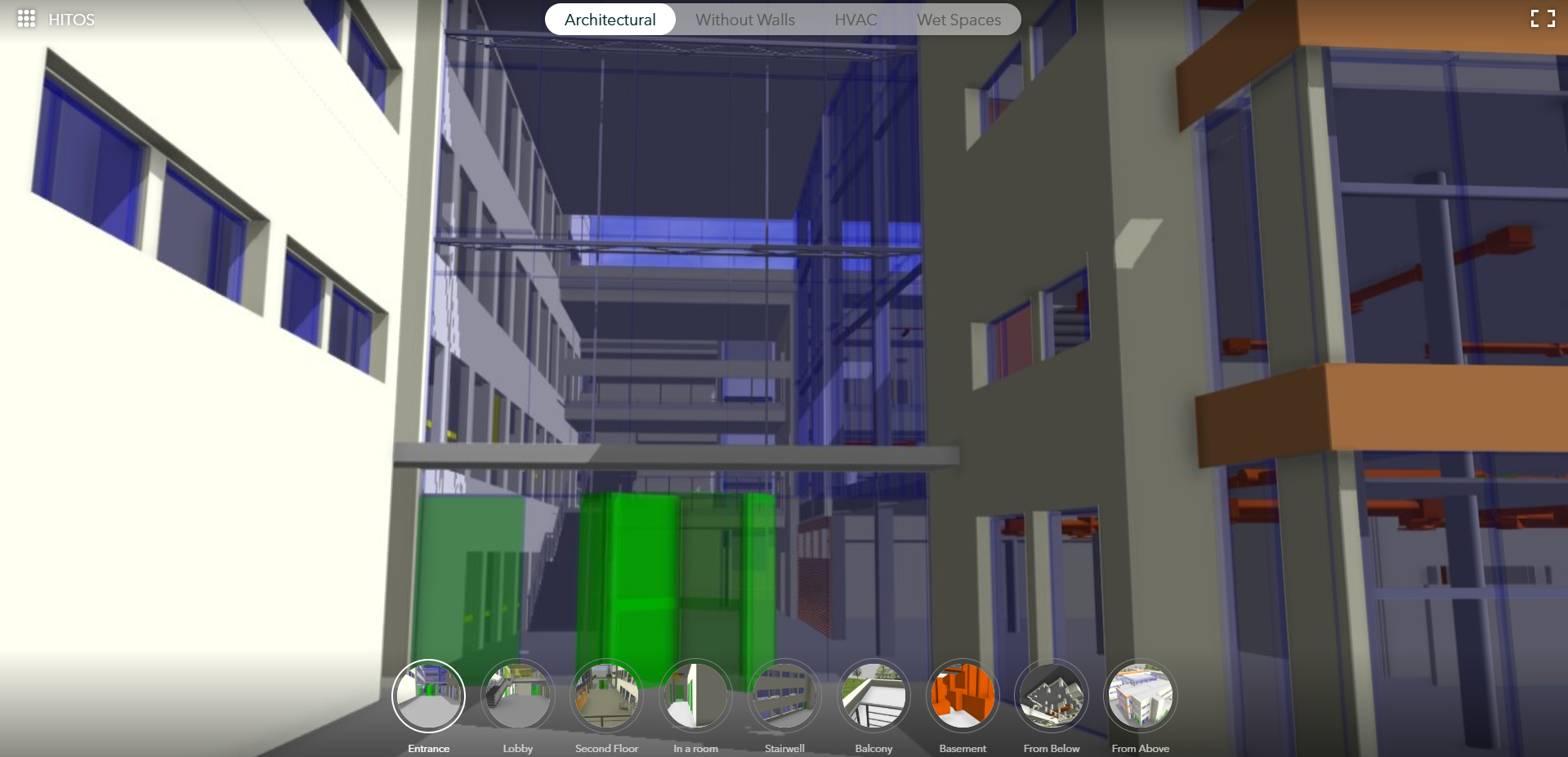
Sitting behind the applications and driving innovation in 3D planning is a constantly evolving and innovative geospatial platform. All the data created and stored in ArcGIS can be used right across the system, so we can integrate and build applications to meet a wide variety of needs.
Taking 3D to the next level
So far, we’ve explored how you can get started with building 3D models, and the ways we can share it to stakeholders, while adding additional context and capabilities depending on the end user.
What about using ArcGIS to level up our planning workflows? Here’s where we say hello to ArcGIS Pro, ArcGIS Urban and ArcGIS CityEngine. Depending on your situation and workflows, all are available to help you get the job done.
ArcGIS Pro
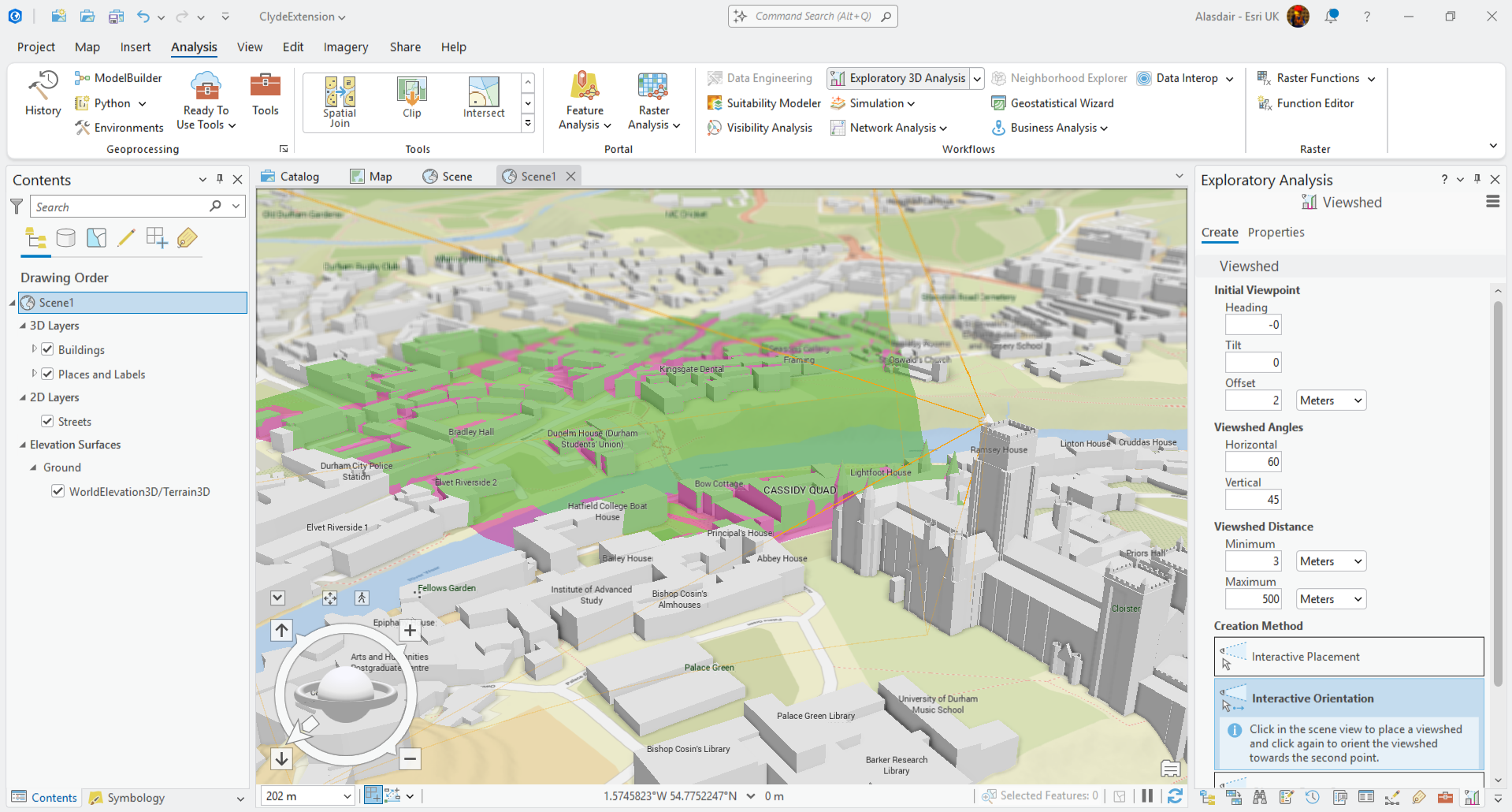
ArcGIS Pro supports the heavy lifting GIS data visualisation, management, processing and analysis. Providing industry leading scientific analytical tools on 2D, 3D and 4D data it can be used to help planners identify patterns, make predictions and answer questions that are critical to decision making.
ArcGIS CityEngine
Another option for large scale 3D workflows is ArcGIS CityEngine, which allows you to create immersive urban environments in less time than traditional modelling techniques. The detail created in these models can be extensive and allows you to complete involved planning on a large scale.
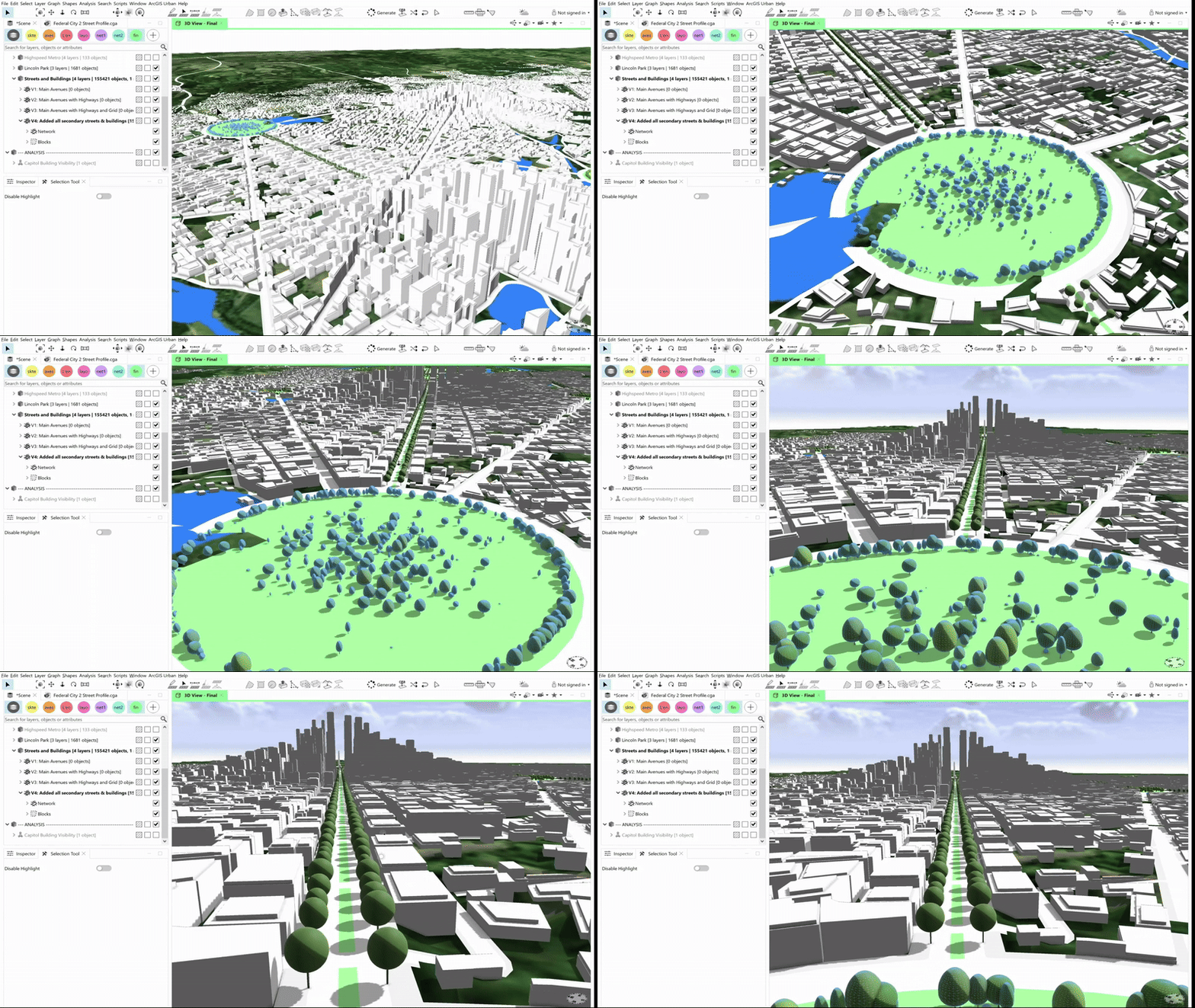
This example shows how ArcGIS CityEngine enables users to create a 3D built environment using procedural rules to generate building textures and windows, adding a whole new level of detail to the urban model. The results integrate across the ArcGIS System to bring together the very best 3D modelling, analysis and collaboration tools available.
ArcGIS Urban
Finally, what is ArcGIS Urban and how does it fit in the story? I’m glad you asked! ArcGIS Urban delivers Scene-like capabilities in a focussed application for planners, taking 3D and scaling it to meet the needs of urban design workflows. It provides specific tools to design and manage site developments and perform capacity planning and scenario testing in a 3D digital twin of the environment. By allowing planners and design professionals to collaborate across teams to support scenario planning and impact assessments, it helps build a more collaborative future. Learn more about ArcGIS Urban in the tech demo in the second half of this session recording from the 2025 Annual Conference.
So, we’ve taken a look at the variety of 3D capabilities across the ArcGIS system, from easy-to-configure visualisations in ArcGIS Scene Viewer, to advanced 3D modelling in ArcGIS CityEngine and ArcGIS Pro. Whichever you choose, you’ll be sure to engage your stakeholders in compelling and informative ways.
Want to find out more about the different types of 3D data? See our sister blog here.