Our Technical Support team here at Esri UK are dedicated to supporting you, our customers, with issues relating to our products or applications and helping your users get back to their work as quickly as possible. We are excited to be embracing AI to offer you an initial quick-help, documentation style support option. This AI enhancement to Technical Support doesn’t replace the technical expertise in our Technical Support team, but we expect the guidance it provides will answer some questions more quickly.
The majority of our cases come through our webform in MyEsri (Request Case), so we’ve added the option to use our new AI recommendations tool there. At the same time we have also improved the look and feel of the form:
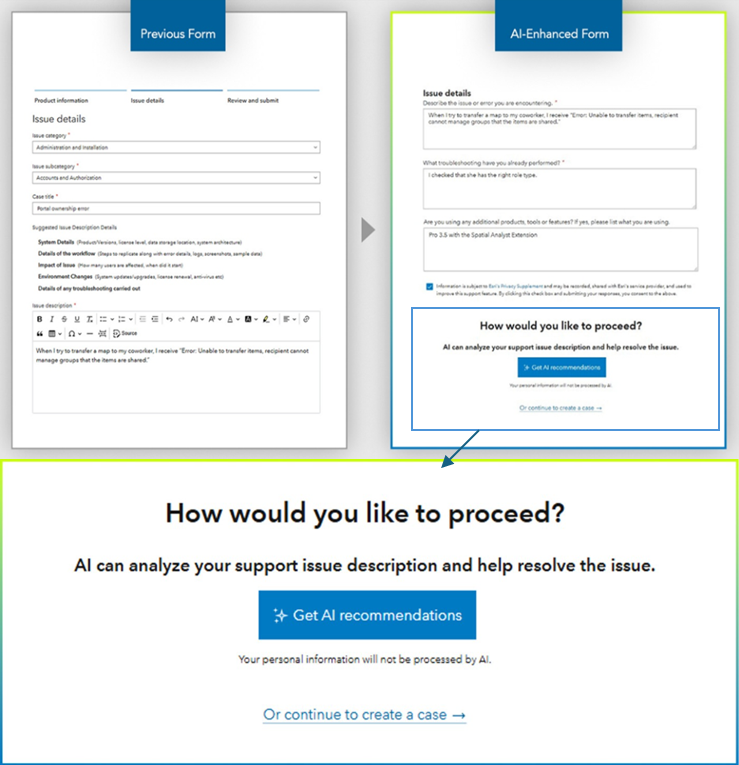
You now get asked to choose either to Get AI Recommendations or to Submit a Case. The AI tool provides quick, help-style suggestions, but if you find this doesn’t solve your problem we are of course here to help as always.
What to expect from our new AI workflow
If you choose to try the AI recommendations, you will be taken through the following steps:
Input Information
Fill out the form fields with details about your situation. This will act like a prompt for AI.
Review Response
An AI generated response will appear on the next screen which will hopefully help to resolve your issue. If not, you can continue to submit a case as normal.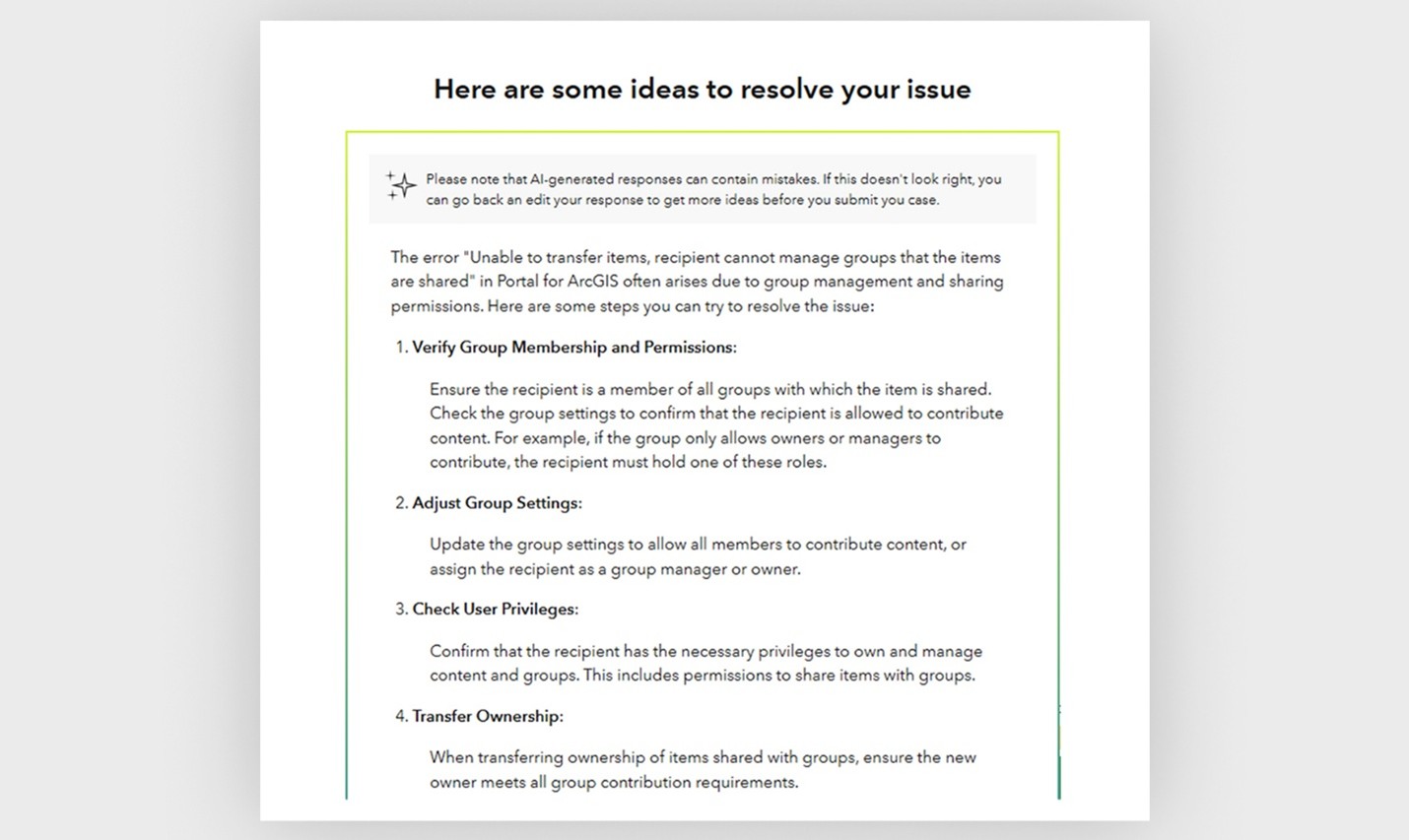
Close or Submit Case
If your problem was resolved by AI, you can leave the form. If not, please continue to submit your case and one of our Esri UK technical experts will be on hand to review and resolve.
As a reminder, if you choose to submit a case you will receive an acknowledgement email with a unique support case reference number and a member of our Technical Support team will be in touch to begin the troubleshooting process.
There may be times where it will be more helpful to submit a case and opt to not use AI recommendations. For example, if you believe that what you are experiencing is a bug or a SaaS (e.g. ArcGIS Online) performance/availability issue, then we would recommend choosing to log a Support Case – so that our support analysts can begin investigations and validate the cause of the problem effectively.
We hope that you find the addition of AI recommendations help you get answers to questions quickly and easily. But be assured that for more complex problems – or if you’d simply rather work with our technical experts directly – support cases can be logged as usual.
For additional information including FAQ’s please see: Coming Soon: AI-Enhanced Support Case Submissions